Production MLOps Platform · Jun 2026
ml-canary-deploy: Model Registry and Canary Deployment
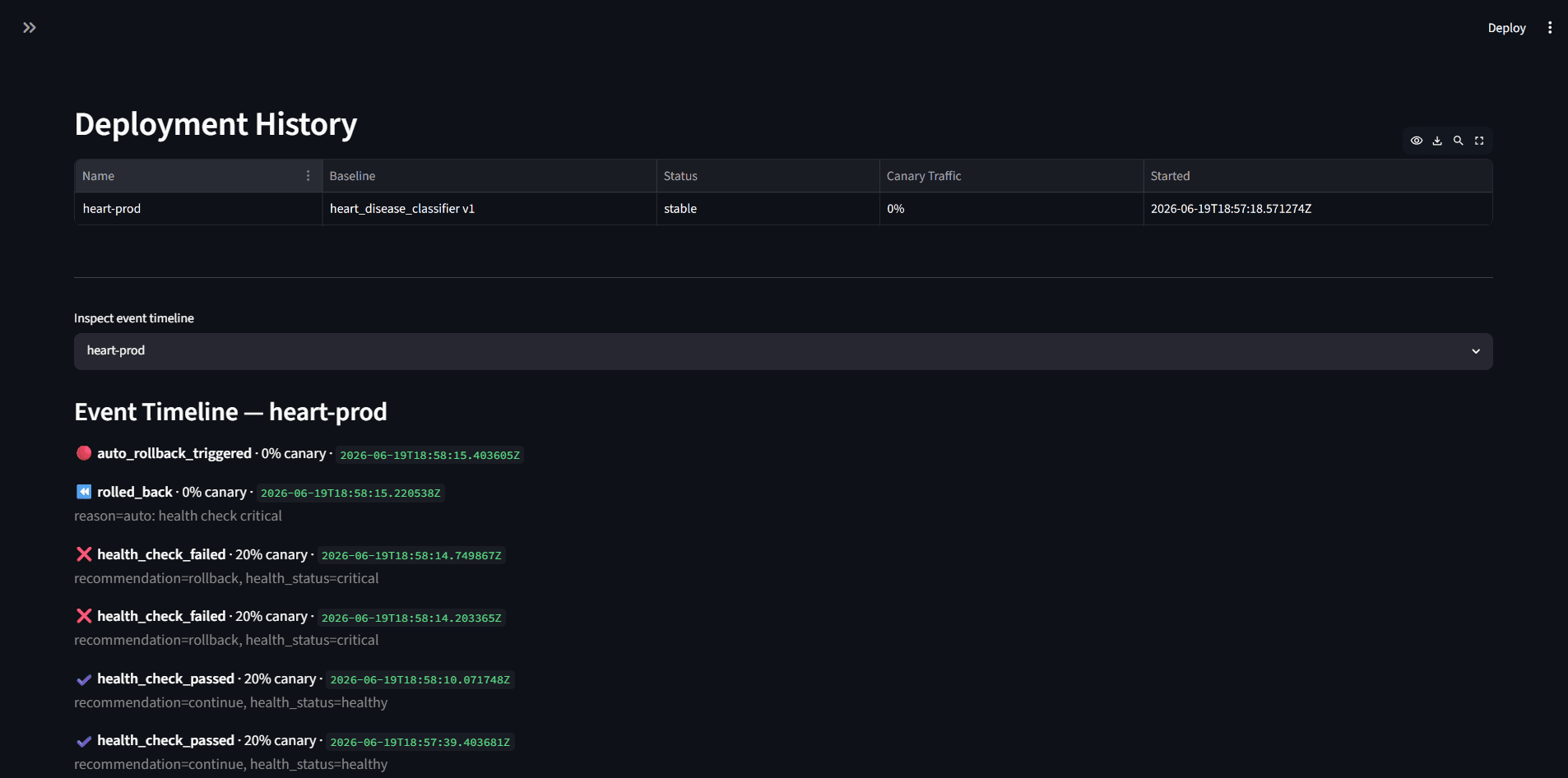
Degraded model detected and rolled back in under 60 seconds, no human involved
The problem
A bad model reaches production and nobody notices until users do.
Approach
A custom registry layer over MLflow with full provenance and stage gates running from dev through staging and canary to production. Redis-backed configurable traffic splitting, Prometheus monitoring on accuracy, latency and error rate, automated promotion or rollback against thresholds, Slack alerting and a full audit log. Validated with a deliberately underfit model at 54% against an 85% baseline.
How it works
- A configurable slice of live traffic goes to the canary while the rest stays on the proven model.
- Prometheus scrapes both models and compares error rate, latency and accuracy head to head.
- A health checker evaluates against thresholds and either promotes or rolls back on its own, with no human in the loop.
- Stage gates run dev through staging and canary to production, layered over MLflow with full provenance.
- Every decision is written to an audit log and surfaced in the deployment history with the reason attached.
Key decisions
- Automate the rollback, not just the alert
- An alert at 2am is still a human in the loop, and the damage happens while they wake up. The threshold evaluation acts by itself and reports afterwards.
- Prove it with a deliberately bad model
- Validated by deploying a model underfit to 54% against an 85% baseline and watching the system revert in under 60 seconds. A rollback path that has never fired is not a rollback path.
- Read the traffic split on every request
- It was originally read once at startup, which meant a canary started later would have received zero traffic forever while looking perfectly healthy. Now it is read per request.
Interface
Architecture
What broke
- The canary traffic split was read once at startup and never again, so a canary started later would have received zero traffic forever, indistinguishable from a healthy deployment.
Running it
docker compose upFull setup, configuration and API reference are in the repository README.
Stack
- Python
- MLflow
- PostgreSQL
- Redis
- FastAPI
- Kubernetes (k3s)
- Prometheus
- Grafana
- Alertmanager